
The computer that screamed. And what the director said afterwards.
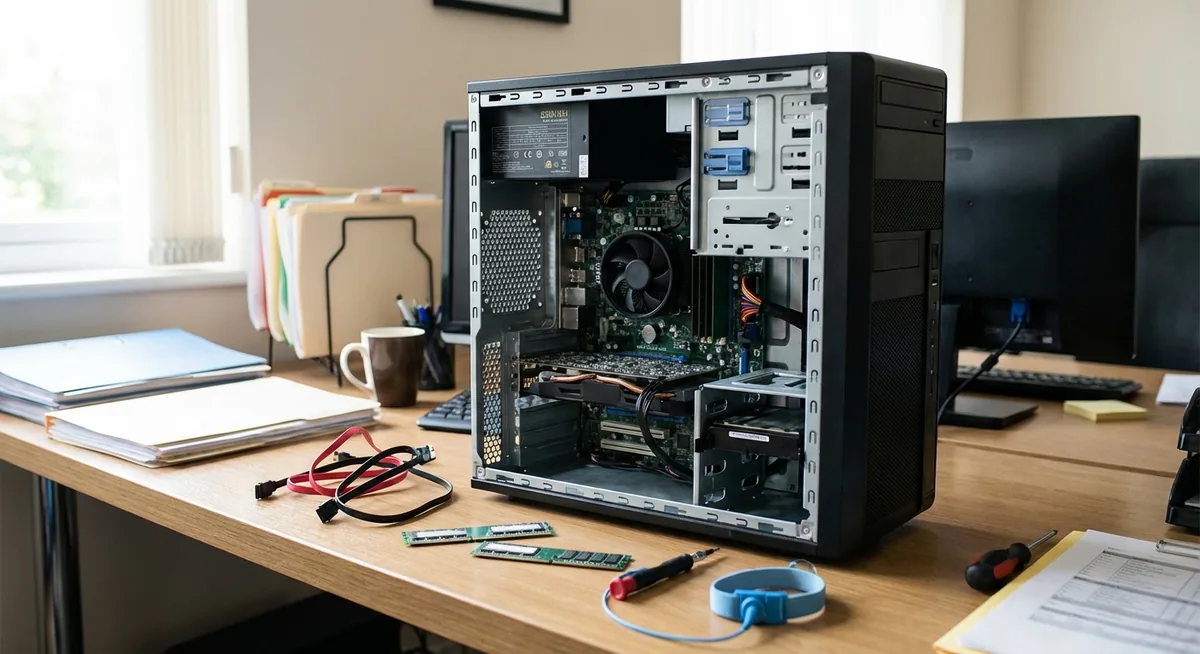
I walked into the office and immediately knew something was wrong.
A high-pitched, piercing shriek. The CPU fan was spinning flat out and wouldn’t stop. I opened the BIOS. Fan error. Clear enough.
“Just replace the cooler.”
Ordered. Installed. Pressed the power button.
The computer didn’t start.
Short version: a broken computer doesn’t always mean a new computer. Sometimes a second-hand donor machine for €150–200 is enough to keep going for years. But whether that’s the right call depends on more than the tech. It depends on what your company actually expects from IT. That conversation is at least as valuable as the repair itself.
The diagnosis
New cooler, computer still won’t start. So it’s not the cooler.
I went through it component by component. RAM, GPU, power supply. Each part worked in isolation. Together, they didn’t. Motherboard.
Options:
- New motherboard for this platform: €150–200, plus the risk of more failures after
- New computer: €400–500, plus two hours setting up Windows, reinstalling software, migrating everything
I found a used Dell from the same series for €150–200. Same socket, same platform. I bought it as a donor: transplanted the processor and RAM from the old machine into the new chassis. First boot. Everything worked.
Saving: €200–300 compared to buying new. Time: about two hours, same as setting up a new machine from scratch. Even on time. Not even on cost.
What the director said
I walked into his office. Explained what had gone wrong, what I’d done, what it had cost.
He looked up from his screen. “Ok.”
Not “well done”. Not “good thinking”. Just: ok.
(I’m not sure what I expected. But ok was what I got.)
That moment taught me something I should have understood earlier. If saving €200 doesn’t even get a reaction, it means saving money on hardware isn’t a priority for this business. Fine. But worth knowing.
As an IT person you tend to optimise for what you care about: cost, lifespan, technical quality. But if that doesn’t match what the organisation wants from IT, you’re doing work that’s invisible — not because it’s bad work, but because you’re optimising for the wrong thing.
Better to have that conversation than figure it out years later.
Repair or replace: there’s no universal answer
An external IT firm would probably have said: buy a new machine, send the old one back or throw it out. No engineer driving from Utrecht to Limburg to swap components on site. That’s not a bad call — it’s just a different business model. Faster, more predictable, less hassle locally.
Some companies also just buy a new printer when the old one breaks. Slightly more expensive, but new warranty and replaced within a day. That’s a legitimate trade-off.
Repair makes sense when:
- The broken part is the only weak point
- The rest of the machine has years left in it
- You’re certain of the diagnosis (and not guessing at parts)
- You have the time to do it properly
Replacing makes sense when:
- The machine has had multiple issues already
- Downtime is expensive and speed matters
- Repair costs are close to the cost of something new
- Nobody in-house has the knowledge or time to do it
Neither is inherently better. It depends on the situation.
What I recommend to every small business
Keep one spare machine. Doesn’t need to be new — a second-hand machine you can set up and hand over in an hour. While the main machine is being repaired or diagnosed, the employee just keeps working.
That’s not a luxury. An employee who can’t work for a day costs more than any computer.
Three questions I get asked
Does it make sense to repair a computer that’s already five years old? Depends on what’s broken. A fan or power supply on an otherwise healthy machine: yes, absolutely. A motherboard on an outdated platform: the maths runs differently. The age of the machine matters less than the condition of the parts that still work.
How do I figure out what’s actually broken? By isolating one thing at a time. Does it run on one stick of RAM? Without the GPU? With a different power supply? Every test that passes rules something out. That’s how you find the cause. It takes time, but it stops you ordering parts that fix nothing.
What if I don’t have a spare machine and something breaks? The fastest option is usually a second-hand machine nearby — refurbished Dell or HP, same platform as what you already have. Setup takes two hours, but you’re back up the same day. No waiting weeks for warranty service.
Want to know what risks are currently sitting in your office? I do a practical IT check for small businesses in Limburg.
Working with older machines that are no longer updated? Read also: why I deliberately ran Windows XP at a dental practice in 2024 — on hardware decisions in practice.