Why I was deliberately running Windows XP at a dental practice in 2024
An external IT firm rolled out Windows 11 across our clinics.
Without checking whether the X-ray software could handle it.
Three days later the errors started. Not immediately - three days later. By then the update had already reached two locations.
They had given us a heads-up of sorts. “You might want to call the other party too - the firm that installs your X-ray software.” Just said it. Didn’t organise it, didn’t coordinate it, and certainly didn’t wait for that conversation to happen. They pushed the update and left.
We did call the X-ray specialists. Just not until after everything broke.
The months that followed were a string of workarounds, support tickets, and conversations between two parties pointing at each other. All from a twenty-minute change that could have been prevented with one coordinated test day - and one phone call before the rollout instead of after.
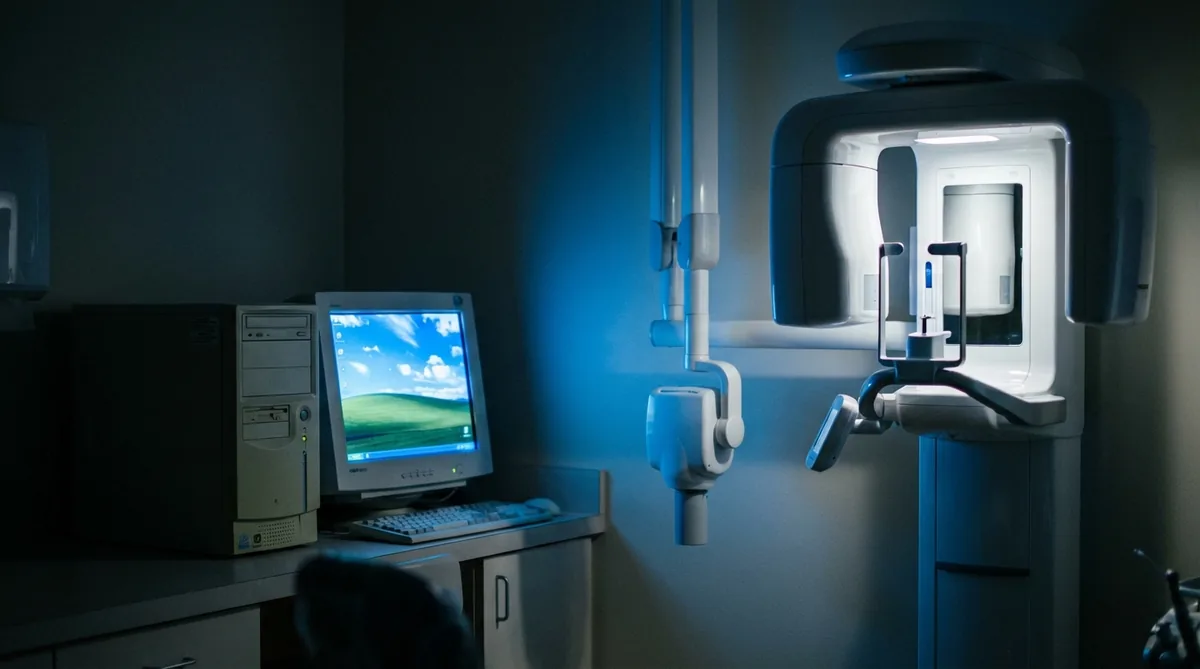
And while that was playing out, a computer at another location in our network was running Windows XP.
Deliberately. Documented. By me.
Short version: dental software is a world of its own. Old Windows versions, hardware from 2005, programs that can break with every update. Anyone who comes in with “best practices” without knowing what’s running on the machines will cause more damage than they fix. Seven years in this environment taught me one thing above all: understand what breaks before you change anything - then change it.
Why dental software is different
In a regular office you just update: new Windows version available, roll it out, done. The browser updates automatically. Nobody thinks twice.
In a dental practice it doesn’t work that way.
Dental programs are often years old. Some were built in the early 2000s and extended gradually since then - slowly, and only under pressure from users. New Windows versions are sometimes tested by those vendors months after release. Sometimes not at all.
The result: you update the operating system and discover a few days later that iRYS - the program for viewing X-ray images - crashes on launch. Or that individual X-rays become unstable. Or that the imaging software throws errors that weren’t there before.
That’s exactly what happened after Windows 11. iRYS started crashing. Solo X-rays stopped working consistently. The imaging systems threw errors.
The external IT firm didn’t even know iRYS existed. They had executed the update correctly from a technical standpoint. They just didn’t know what was running on the machines.
The XP that was there on purpose
At one of our locations, a computer was running Windows XP. In 2023.
I knew. The director knew. It was documented.
The X-ray equipment at that location was old - and only compatible with XP. The choice was simple: update the OS and the machine stops working, or replace the machine for a five-figure sum that wasn’t in any budget.
Was XP a security risk? Yes, we knew that. So that machine was completely isolated from the network. Restricted access. The risk was assessed and deliberately accepted.
This isn’t negligence. It’s a calculation: here’s the risk, here’s the cost of the alternative, and here’s what we do to keep the risk contained within the existing constraints.
The firm that rolled out Windows 11 knew best practice. They just didn’t know what was actually running on those machines.
That’s the difference.
The physical environment nobody accounts for
There’s something else you only understand if you’ve actually worked inside a clinic.
I once decided to blow dust out of the computers - right there in the treatment room. Early morning, no patients yet, compressed air, case open.
The dust cloud was impressive.
The dental assistant who walked in at that exact moment made a sound that wasn’t a word. It was a “pfff.” Directed at the freshly sterilised treatment chair.
She was right.
After that I never blew dust in a treatment room again. Unplug the machines, carry them to the storage room, do it there. Twenty extra minutes that are worth it.
A small thing. But this kind of small thing is exactly where IT people without experience in this environment get it wrong.
What this means in practice
If you’re doing IT for a dental practice - or hiring someone to do it - a few things actually matter.
Check software compatibility before every OS update. Contact the dental software vendor with a specific question: “Is Windows 11 version X.X supported?” No guarantee? Test on one isolated machine and wait at least a week of full use before rolling out further. Three days is the absolute minimum.
Understand the dependency chain of older hardware. X-ray systems, TWAIN scanners, USB controllers for instruments - all of this can be tied to a specific driver or OS version. Change one link without understanding the whole chain and you have a problem.
Document deliberate risks. An isolated XP machine with a documented risk is a managed situation. A machine nobody knows about that’s never been updated is not. The difference is awareness and follow-through.
Make sure all parties involved talk before anything changes. A general IT contractor and an X-ray specialist who only make contact after things break will cost you months. One hour of coordination upfront costs one hour.
Three questions I get asked
Can you really still run Windows XP in 2024? If the machine is fully isolated from the network, access is restricted, and the risk is assessed and deliberately accepted, it’s a considered compromise. Not ideal, but real. The alternative was an investment that simply wasn’t there. The dangerous part isn’t XP itself - it’s pretending that machine doesn’t exist.
How do you check compatibility before an OS update at a dental practice? Contact your dental software vendor with a concrete question: “Is Windows 11 version X.X supported?” No guarantee? Test on one machine, isolated from the rest, and wait at least a week of normal use before rolling out further.
What do you do if an IT firm has already caused damage through an update? First check whether a rollback is possible. If not: call the dental software vendor - not Microsoft. They know this scenario. They’ve seen it before and usually know a way back.
Outdated systems with no updates — one of the main ways ransomware gets in. Read: ransomware at your office — what do you do when it goes wrong.
Do you run a dental or medical practice and aren’t sure your IT is properly set up? I spent seven years doing exactly this - and I know where the problems tend to hide.