
The IT firm did its job. It just didn't tell us.
One morning three staff members came to me with the same question.
“Why do I have to enter my RDP password every time now?”
It worked fine last week. Now it didn’t. No error message, no announcement, just gone.
I went to investigate. It turned out to be a group policy. A GPO the external IT firm had rolled out a month earlier when setting up our domain. Technically correct: storing passwords in Windows Credential Manager is a security risk, and the firm had locked it down. But nobody had told us. No email, no briefing, no “heads up, this is changing for you.”
I didn’t have time to fix it properly. I worked around it locally. It worked. It wasn’t safe. And it’s typical of what happens when an IT manager and an external firm operate in parallel without talking.
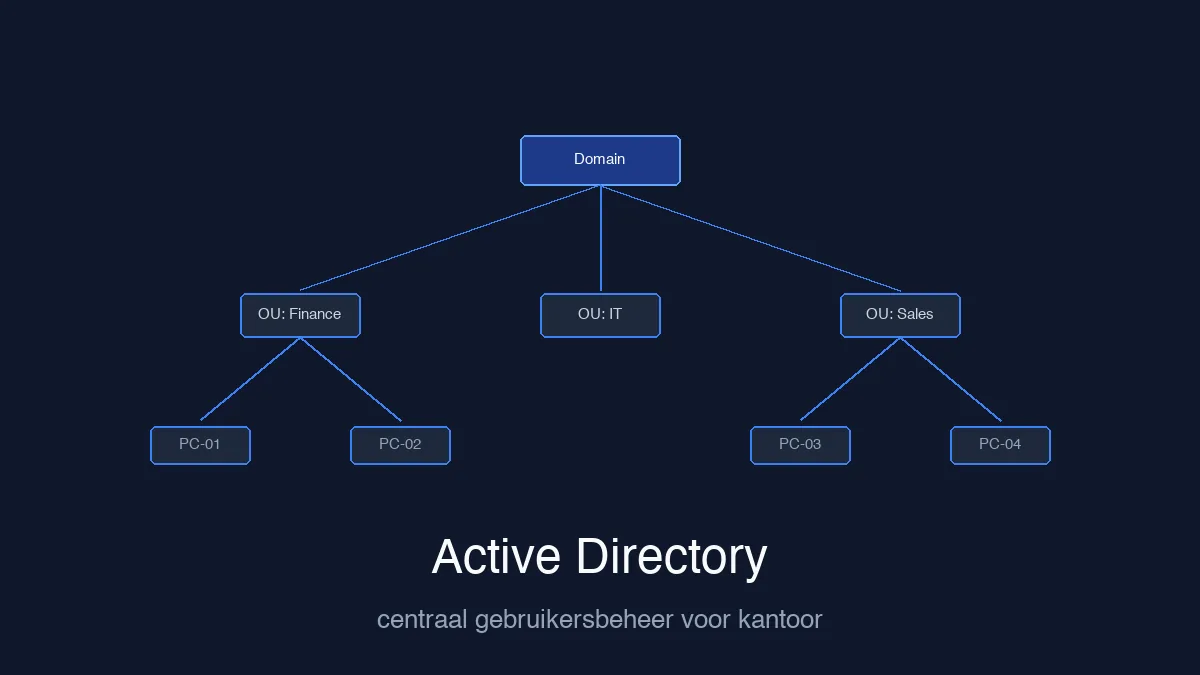
Short version: Active Directory gives you central control over all computers and users in your network. New staff member, departing staff member, deploying software, managing access — all from one place. But technically well configured isn’t the same as well configured for your situation. Anyone who doesn’t understand the work environment before rolling out policy makes workarounds inevitable.
What a domain does for an office
An office without a domain manages each computer separately. New staff member? You go around to each device. Someone leaves? Same thing. Software needed for the whole team? You install it ten times.
With Active Directory you manage everything centrally. One account per staff member, valid on every device in the network. What that means in practice:
New staff member — you create one account. They can log in to any workstation, their email is ready, their access rights are set. No running around.
Departing staff member — you disable the account. Access to all systems, network folders and applications is gone immediately. No forgotten passwords still active somewhere.
Software deployment — via Group Policy you can install applications on all machines at once. No USB drives, no manual clicking.
Enforcing security — screen lock after five minutes of inactivity, password requirements, USB port restrictions, mandatory updates. One setting, applies to everyone.
From around ten to fifteen staff, this stops being a luxury. It’s just more manageable than tracking everything separately.
What goes wrong when the firm doesn’t ask
Active Directory is a powerful tool. But there’s a gap between “technically correctly configured” and “workable for this specific organisation.”
Large IT outsourcing firms work in tickets. Task “set up domain” — done. Next client. The pressure to work fast and close many tickets is real, and I get that. But it means the question “how do these people actually work?” is easy to skip.
Nobody asks: who uses RDP and from where? Are there legacy applications that don’t get along with certain policies? Who needs admin rights and who doesn’t?
The result: a GPO that’s correct on paper but disrupts the working day. Staff go to the IT manager. The IT manager has no time. Someone finds a workaround. The workaround works. Nobody documents it. Two years later nobody remembers why it’s set up that way.
This isn’t malicious on the part of those companies. It’s a ticket culture that leaves no room for one conversation beforehand.
What makes the difference
A good Active Directory implementation doesn’t start with the server. It starts with questions.
Which applications does this business use? Are there people who work remotely or use RDP connections? What are the security requirements, and which ones are realistically achievable for this group of people? Who needs which level of access?
And after the rollout: a short overview of what changed. Not a forty-page manual. An email. Three paragraphs. “This works differently now, here’s why, here’s what to do if something goes wrong.” That takes an hour. It saves months of undocumented workarounds.
If you’re hiring an external IT firm for this kind of work, ask one question before you sign: do you give staff a briefing after the implementation? If the answer is no, plan time for that yourself. Otherwise you’ll be the one handling the consequences.
Three questions I get asked
Do we need a domain with eight staff members? Depends. No shared servers, no RDP, everyone on their own standalone laptop? You can hold off. As soon as there’s a shared file server, people logging in remotely, or you’re maintaining user management by hand: a domain already pays off. The threshold is lower than most small businesses think.
How dangerous is it to save passwords in Windows? Limited risk in most situations. If someone has physical access to the machine and knows what they’re doing, stored credentials can be extracted. For a small office without sensitive systems, that’s not the first concern. In an environment with patient data or financial information, it’s worth a conversation. The point is: if you change the setting, explain it. Otherwise people find their own solution.
Our IT firm set something up that’s now causing problems. What now? Ask for an overview of the applied group policy objects. If they can’t provide that, it’s already a signal. Then ask which GPO causes the behaviour, test the change on one machine, and document it. One day of proper work now is better than two years of living with a workaround nobody understands.
Setting up a domain also means having solid backups and a clear recovery plan. Read: ransomware at your office — what do you do when it goes wrong.
Want to know if your office user management is set up properly? I’ll take a look and give you an honest picture of what works and what doesn’t.