I almost fell for a phishing email. And I've worked in IT for years.
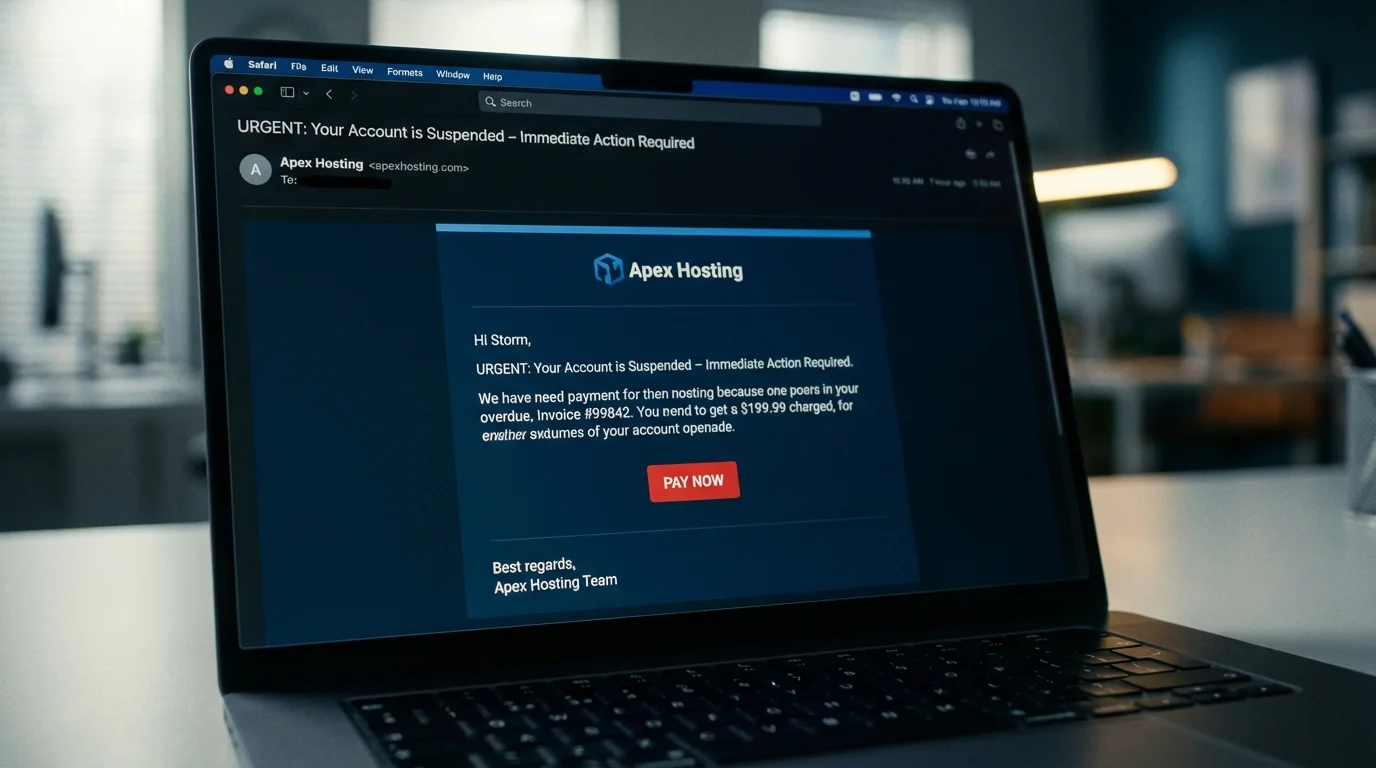
Today I opened my inbox and saw an email from “Hetzner”, the hosting provider where my server for Oros Agency runs.
It was in the spam folder.
That should have been enough. When a vendor you’ve used for years suddenly ends up in spam, something is wrong. But I thought: why would a real Hetzner email land in spam? Let me just check.
What I saw looked flawless. The exact Hetzner logo. The right colors. The same layout as the real website. The email told me my domain oros.agency had been suspended due to a failed automatic renewal. There was a payment button. Urgent tone.
One second of genuine panic. My server goes down. I need to pay now.
But I didn’t click.
The two things that saved me: the email was in spam, which was already a signal. And my habit of never logging in or paying via a link in an email — always opening the service directly. Both together made me pause for five seconds.
The first signal: spam
Spam filters aren’t perfect, but they’re not random either. When an email from a known vendor suddenly lands in spam, that’s not coincidence. Spam filters see patterns you don’t: sender domain reputation, email headers, routing behavior.
That spam flag was the first warning. I could have closed the email right there.
But I looked anyway. And what I saw was convincing enough to make me hesitate.
What actually saved me
I knew my account had credit. The server costs are small. I had set this up specifically so I’d never have to think about it. How could the payment have failed?
Instead of clicking the payment button, I opened Hetzner directly in a new tab. Logged in. Everything active. All payments up to date.
That was it. The email was fake.
Then I looked at the sender address: no-reply@support-hetzner.com
Not hetzner.com. Support-hetzner.com. A completely different domain, registered by someone else. On a phone you almost never see that. The display name shown is “Hetzner Support”. The full address stays hidden until you tap on it.
Why this phishing was dangerous
This wasn’t a random mass mailing. They knew something about me.
The email contained my actual domain name (oros.agency) in the “suspended services” table. Not a generic placeholder — my specific domain. They sent it to my business inbox. And they picked exactly the right moment: a hosting email that triggers fear of downtime.
What made the attack work:
- The Hetzner logo and layout were copied pixel-perfect
- My real domain name was in it
- The “suspension” framing creates immediate fear
- The urgent tone pushes you to act, not think
Five seconds of pause before the payment button. That was the entire difference.
How to spot a phishing email
Was it in spam? Take that seriously
If a vendor you’ve emailed for years suddenly lands in spam, there’s reason for suspicion. It doesn’t always mean phishing — but it’s a signal. Close the email, open the website yourself, and check if anything is actually wrong.
Open the website yourself, never via the link
This is the habit that protects you most. Type the address yourself or use your bookmark. If something is genuinely wrong, you’ll see it after logging in. If the website shows nothing, the email is fake. Simple.
Look at the full email address, not just the display name
The display name can be whatever the attacker wants. The email address is harder to fake. Click or tap the name to see the full address. A real Hetzner email comes from an @hetzner.com address — not @support-hetzner.com.
Check the urgency
Urgency in an email is a technique, not a necessity. Legitimate companies always give you time to respond. “Pay now or your domain disappears” is a red flag.
On mobile: extra care
On a phone everything is smaller and more compact. Attackers know this. Take a moment to tap the sender name before you respond.
This happens to people who should know better
I’ve worked in IT for over ten years. I know how phishing works. I recognize the patterns.
I was still one click away from the payment form.
Not because I was careless. Because the email hit something that’s genuinely real for me: my server, my domain, a cost low enough that I don’t pay attention when automatic payment runs.
The human factor isn’t a weakness. It’s just reality. Attackers know that too.
A fixed habit helps more than perfect attention at every moment. Never via a link — always directly to the site. It becomes automatic after you’ve done it a few times.
What I did afterwards
After this incident I checked whether two-factor authentication was on in my Hetzner account. It was — but I hadn’t checked in a while.
I also looked at my other domains that I don’t actively use to see if any were registered as “expired” somewhere. Those domains are attractive to attackers: they know you’ve forgotten about them and you look less critically.
And I looked up the domain support-hetzner.com in WHOIS. Registered four days earlier. Russia. No technical knowledge needed for that — just look up WHOIS and check when it was registered and by whom.
Three questions I often hear
Are phishing emails really that convincing now? Yes. Logos and branding are free to copy. AI makes writing flawless text trivial. And targeted attacks — where they know your name, domain or company — are easier than ever through data breaches and public registries. The “spelling mistakes” test doesn’t work anymore.
What if I already clicked the link but didn’t fill anything in? Just clicking is usually not enough for direct harm. But some phishing pages try to exploit browser vulnerabilities on load. To be safe: change the password for the account the email was about, check for recent login attempts, and scan your system.
How do I prevent this with my staff? One short explanation works better than a policy document. Show what a phishing email looks like using a real example. State the habit: always go directly to the site, never via a link. Repeat it periodically. Technical measures like email filters and MFA help too — but the habit is the first line of defence.
Want to know where your office actually stands on security — not theoretically, but specifically for your situation? I do a practical IT check for small businesses in Limburg.